
Should You Delete Ghost Followers on Instagram?
Last Update: March 2026

There is a hot debate on whether or not you should delete ghost followers on Instagram.
One side says every follower who doesn’t engage ruins engagement.
That’s because when you post, Instagram doesn’t show it to everyone at once. It shows it to a tiny subset of your followers first. If that group is full of bots or people who haven't logged in since 2022, nobody interacts. Instagram then thinks, "Wow, no one is engaging with this post , it must be boring," and stops showing it to the rest of your followers and to new people. By deleting ghosts, you’re making sure your test group is made up of real people who literally like your content. This tells Instagram your content is worth recommending to more people.
The other side of this debate is lurker logic. Just because someone doesn't "Like" your post doesn't mean they aren't buying. This side argues that followers who don’t engage are often your best customers—they’re just quiet. Deleting them might mean deleting your next big sale.
So, who’s right? Should you start purging your list, or are you overthinking something that doesn't matter?
In this guide, we’ll get to the bottom of the debate to answer the most pressing questions about cleaning up your IG follower list:
What is an Instagram ghost follower?
Do inactive accounts and ghost follower lower reach and engagement?
How to spot a ghost follower vs. a silent but potential buyer
How to get rid of ghost followers fast without triggering Instagram's spam sensors
Let’s dive into the debate and find out if it’s time for you to start hitting that "Remove" button.
what is an instagram ghost follower?
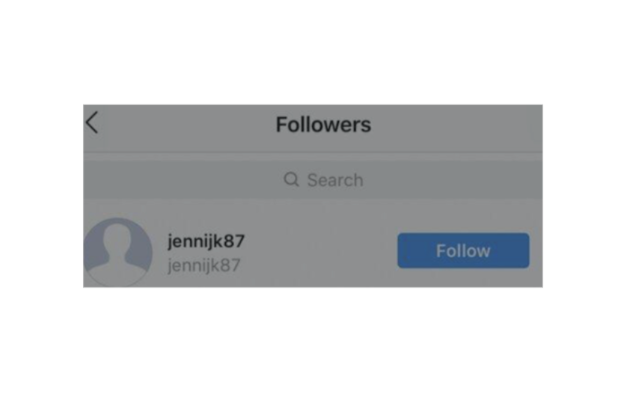
A ghost follower is someone who follows your account but never interacts with your content.
They don't like, they don't comment, and in 2026—most importantly—they don't save or share your posts.
However, not all "ghosts" are created equal. To understand if you should hit the delete button, you first have to identify which type of ghost is haunting your profile.
Below is a guide to spotting ghost followers, inactive accounts, and lurkers (and how to know if you should get rid of them)!
Should you Remove Ghost Followers on Instagram?
1. The Bot (The Fake Instagram Account)
These are the most common and the most damaging for your engagement rate.
They aren’t real people. They are AI.
Telltale Signs: A username with a string of random numbers, no profile picture, or a profile that follows 5,000 people but only has 2 followers.
The Verdict: Remove them. These have no thumbs and no brains—they will never interact with or buy from you and only serve to tank your engagement.
2. The Inactive Account
This is real person, but they’ve moved on. Maybe they forgot their password in 2021, or they simply stopped using Instagram.
Telltale Signs: Their last post was three years ago, or they haven't posted a Story in months.
The Verdict: Think of these accounts as "empty seats" in your front row. When you post, Instagram hands them a ticket to see it—but since they never log in, that ticket goes to waste. Because no one in that "test group" is responding, Instagram assumes your content is a flop and stops showing it to the rest of your followers. Consider removing them.
3. The "Lurker" (The Silent Fan)
This is the “ghost” account you want to be careful with. This is a real person who consumes your content but simply doesn't hit "Like" or "Comment."
Telltale Signs: They view your Stories consistently but never respond to polls. They’re interested but not interacting.
The Verdict: These aren't actually ghosts; they are silent observers. I’ve had inactive accounts like these become my best clients. When it's clear there is a real person on the other side of that unengaged handle, I won't remove them.
how do you get rid of ghost followers on IG
Finding ghost followers on Instagram used to require sketchy third-party apps that risked getting your account banned. In 2026, the safest way to audit your list is by using the tools already built into your app. Here are three ways to find and d
The "Flagged for Review" Shortcut
Instagram’s AI is now incredibly good at spotting bots for you. Before you do anything manual, check this folder:
Go to your Profile and tap on Followers.
At the very top, look for a category called "Flagged for review."
Instagram puts accounts here that show spammy behavior (like following 5,000 people or having zero posts).
The Benefit: You can review these in seconds and remove them all at once without triggering any security red flags.
2. The "Least Interacted With" List
If you want to find the Inactive Ghosts (the real people who just stopped using the app), Instagram has a specific list for that too:
In your Followers list, look under "Categories" for "Least Interacted With."
This shows you the accounts you haven't engaged with in the last 90 days.
Pro Tip: Be careful here! Some of these might be "Lurkers" (real customers who are just quiet). Only remove them if their profile looks completely abandoned.
3. The two-Second Vibe Check
For the ghosts that slip through the cracks, you can spot them manually by looking for these three red flags:
The "Number Soup" Username: If the handle is something like @jess1ca_88321994, it’s likely a bot.
The Ghostly Grid: Tap the profile. If they have zero posts and no profile picture, they aren't helping your engagement.
The Following Ratio: If they follow 7,000 people but only have 12 followers, they are a "mass-follower" bot and should be removed.
Trust your gut. If an account looks weird, it’s weird. If you don’t think they should be in your sphere, goodbye to them.
What about free ghost follower remove apps?
A word of caution: Avoid them. Instagram’s security is tighter than ever.
If you give an outside app your password to "auto-delete" ghost followers, Instagram will likely flag your account for "automated behavior."
This can lead to a shadowban or, worse, losing your account entirely. Stick to the native tools—they are slower, but they are safe.
More Followers Aren’t Better When They’re Bots
The old school of thought was simple: More followers = more influence. But in 2026, that logic is officially faulty.
With more AI bots on Instagram than ever, ghosts and inactive accounts might be inflating follower counts but drastically reducing reach.
This has led many users to a radical realization:
Having a massive follower count with inactive accounts might actually be the thing holding you back.
Plus, it’s now status symbol to have fewer followers !
There are many benefits to having a small audience.
As the saying goes, it’s better to have 100 people who love you than a million who sort of like you.
The same applies to your Instagram followers.
What the Instagram algorithm really cares about now is how much your followers engage and whether they keep coming back.
That’s why telling your story is so much more important than Instagram tactics.
When your followers connect with you, you’ll never have to fight the algorithm for their attention.
Even if you’ve never told a story before, you can start today with my free micro storytelling guide.
It shows you how to identify relevant brand stories, and comes with my viral Seven Sentence Storytelling Framework you can use to create more engaging content your “seed” audience will double tap fast.

Thanks for Reading!

Cyndi Zaweski, Owner of StoryCraft
Cyndi Zaweski is an independent journalist and the owner of StoryCraft. She writes primarily about how narrative influences behavior, exploring how storytelling, belief, and perspective drive action through the lenses of marketing, philosophy, psychology, technology, spirituality, and beyond. Her brand story clients have been featured on CBC, iHeartRadio, The Minimalist Podcast, and more.
FAQs About Instagram Ghost Followers
-
A ghost follower is an account that follows you but never interacts. This includes bots (fake accounts), inactive accounts (people who stopped using the app years ago), and lurkers (real people who watch but don’t like or comment).
-
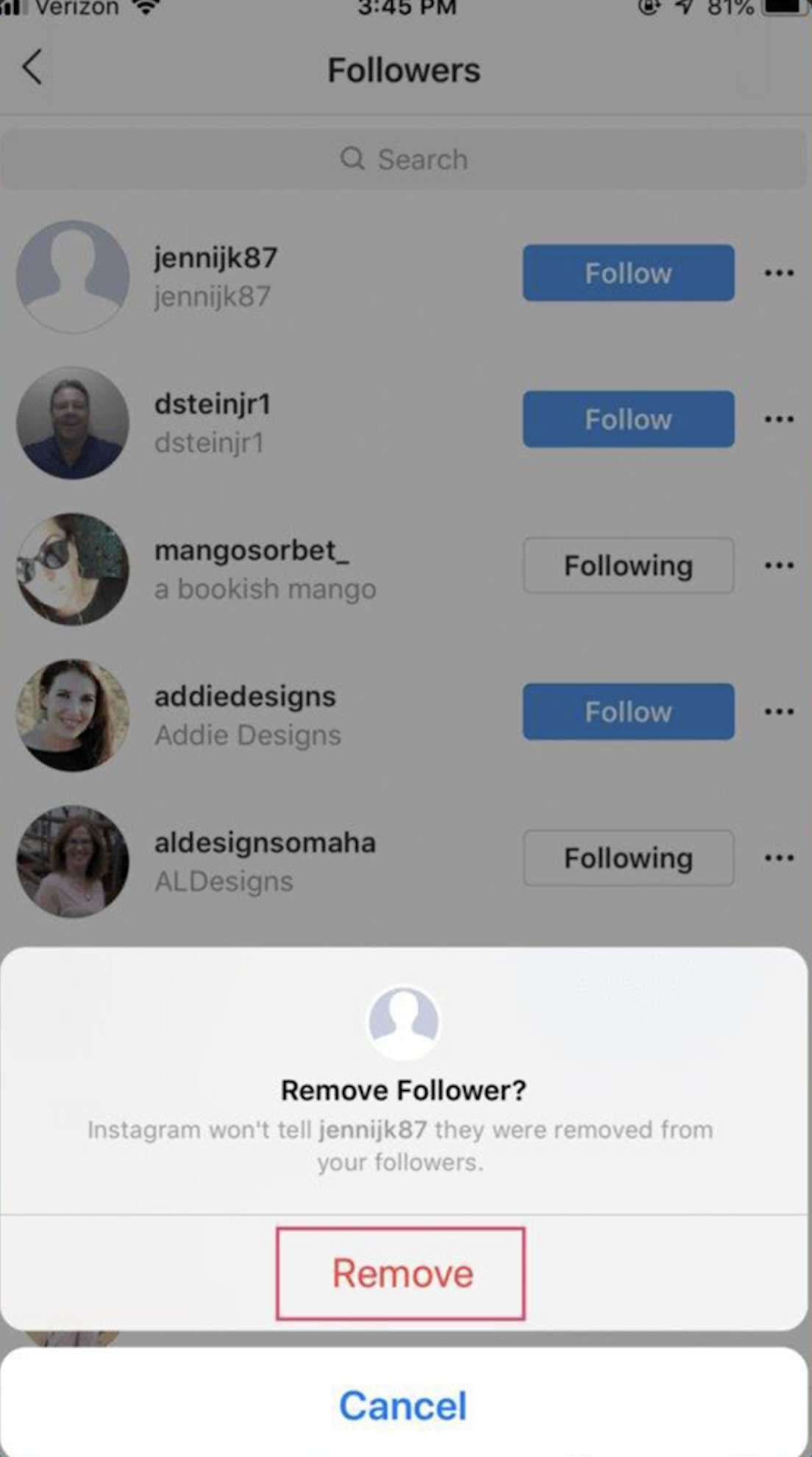
Go to your Followers list on your profile. Find the user you want to remove and tap the three dots (or "Remove") next to their name. They won’t be notified that you removed them, and it’s much safer for your account than using a third-party app.
Instagram’s AI is now incredibly good at spotting bots for you. Before you do anything manual, check this folder:
Go to your Profile and tap on Followers.
At the very top, look for a category called "Flagged for review."
Instagram puts accounts here that show spammy behavior (like following 5,000 people or having zero posts).
The Benefit: You can review these in seconds and remove them all at once without triggering any security red flags.
-
Instagram now groups these for you! Go to your Followers list and look for categories at the top like "Least Interacted With" or "Flagged for Review." These lists show you exactly who hasn't engaged with your content in the last 90 days.
-
Instagram frequently runs spam purges where they delete millions of bot accounts across the platform. If you see your follower count suddenly drop by 50 or 100 overnight, it’s usually Instagram cleaning out the fakes for you.
-
Yes—and here is exactly how it happens.
When you post, Instagram shows your post to a tiny 10% slice of your followers first.
If that 10% is made up of ghosts—bots or people who haven't logged in for years—they won't interact.
When nobody in the test group reacts, the algorithm assumes your content is boring. It pulls the plug and stops showing the post to the rest of your followers and kills your chances of reaching new people on the Explore page or Reels tab.
-
Technically, they stay in your database, but they are hidden. In 2026, Instagram has a specific Deactivated Accounts tab in your follower list. While they are deactivated, they don't count toward your active engagement stats, but they do stay on your total count until they are officially deleted.
-
The person is simply removed from your list. They aren’t notified. They aren't blocked, so they could still see your profile if it's public, but your posts will no longer show up in their home feed. For you, it usually results in a small "reach boost" because your remaining followers are more likely to engage.
-
Your follower count will drop by one while their account is off. However, if they reactivate their account later, they will automatically reappear in your follower list and your count will go back up.
