How To Create Engaging Instagram Carousel Posts
LAST UPDATED: April 2026
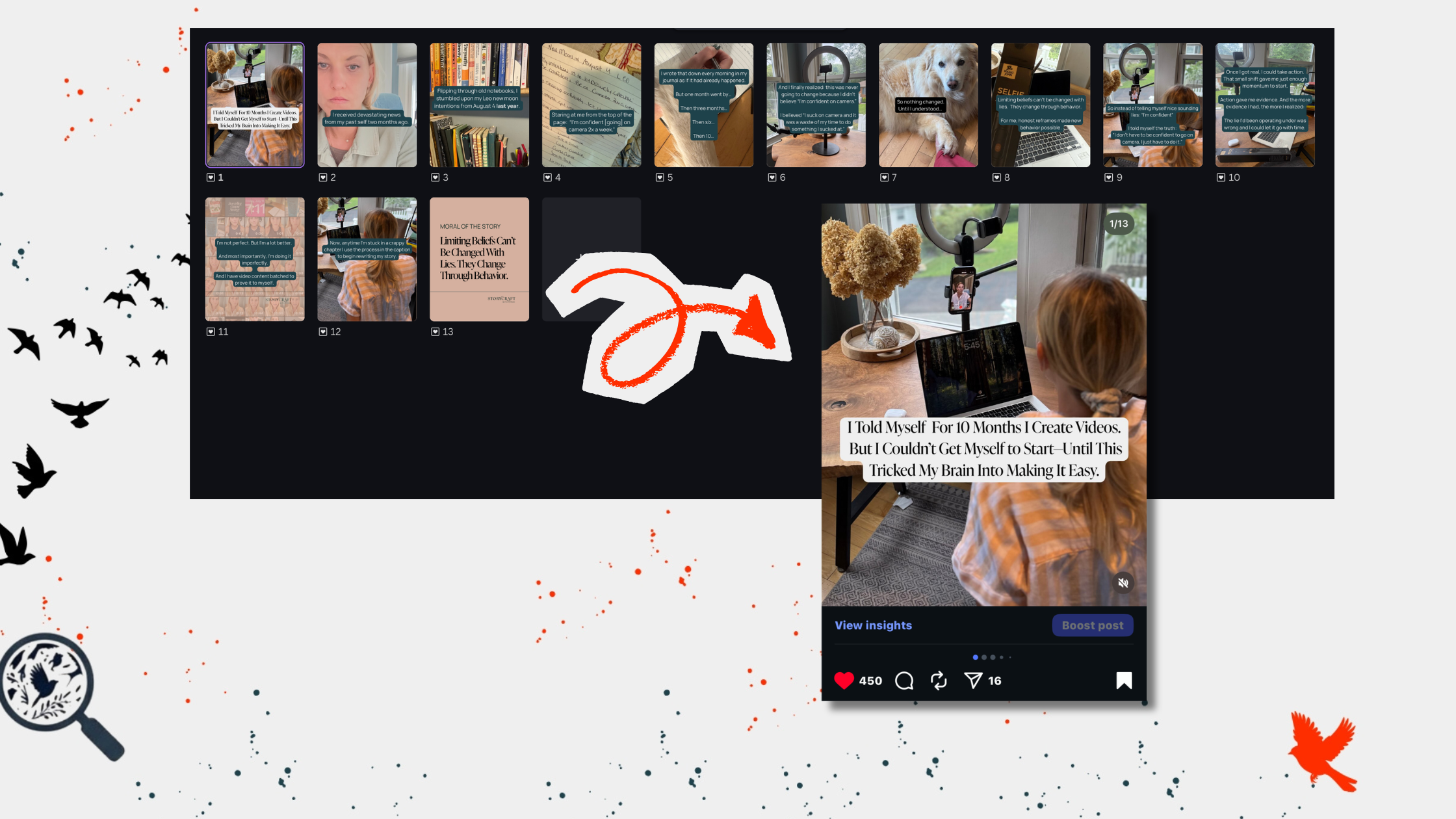
Carousels are still the most engaging format on Instagram. This article will show you how to design, structure, and include storytelling in your Instagram Carousel posts in 2026.
How To Make a Carousel on Instagram
Instagram Carousel posts don’t get enough credit. While everyone is busy spending hours editing seven-second Reel clips that disappear into the void by lunchtime, the most engaging content format on Instagram in 2026 doesn't require a ring light or a dance routine.
IG Carousel posts get the most likes, comments, saves, and shares out of any other content format on Instagram.
Carousels are hidden gems in plain sight. It’s wild to think that Carousels get the most engagement, but only 19% of creators are using them.
This is a massive opportunity for you to step, share your story, and get the attention you deserve without having to shout over everyone else. Over the last few years, I’ve seen dozens of business owners burnout creating Reels that go nowhere while I’ve grown my account to more than 65,000 followers—without having to go on camera—with Carousels.
Hundreds of viral Carousel posts later, I created this guide to cover everything you need to know to make a Carousel post on Instagram, including:
The Basics: What Is A Carousel Post? (And How To Create One)
A Strategy For Posting Carousels in 2026
Instagram Carousel Trends for 2026
What To Put On Each Slide of a Carousel
How To Use Carousels For Storytelling
Reels vs. Carousels: What’s A Better Use Of Your Time?
Plus, viral Carousel post examples and ideas. Let’s get into it.
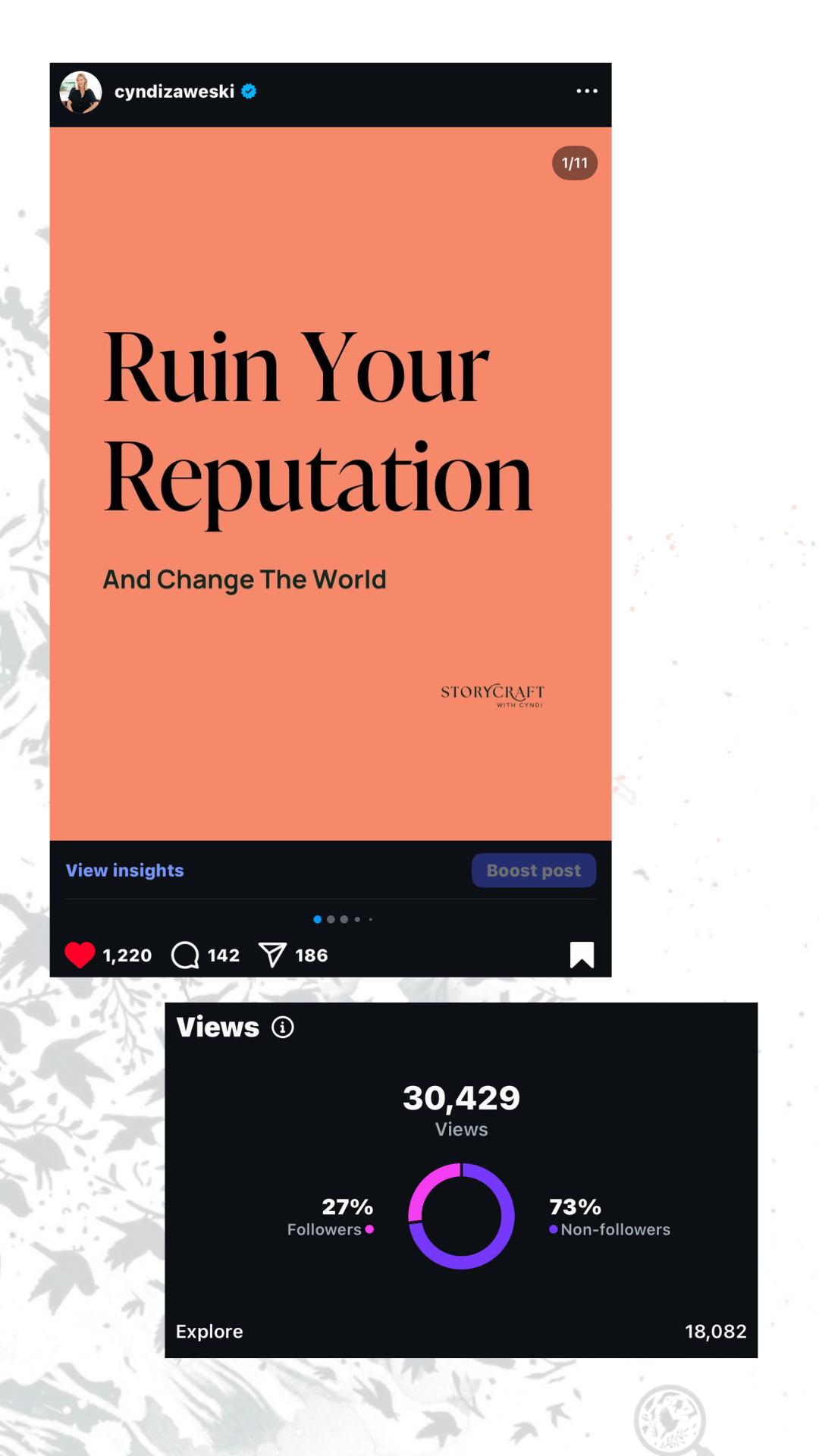
What Is A Carousel Post on Instagram?
If you’ve been on Instagram lately, you’ve probably seen posts that feel more like a mini-blog or a photo album. You look at the first slide, and naturally swipe left to see the next. These are called Carousel posts.
Carousels can include up to 20 photos or videos to swipe through.
And , as of March 24, 2026, Instagram finally rolled out the ability to rearrange slides after you’ve already posted. You no longer have to delete and repost if you get the sequence wrong. Just go to your post > Edit > Long-press a slide to drag and drop it into a new spot.
This is great if you make a mistake uploading, but the what’s really great about this feature for creators is that it let’s you act on your metric like you’ve never been able to before.
With this update, you can see frame-level analytics in your posts, allowing you to identify exactly which slide caused a user to drop off or which specific image got a like. This tells how you exactly how to reorder your Carousel slides and create future posts for maximum engagement.
Another cool feature of Carousel posts is the ability to add audio. Not only does it create a better experience for your reader, it makes Carousels eligible to appear alongside video in the Reels feed. This is a huge advantage for increasing reach and getting new followers.
From a technical standpoint, these are the dimensions of a Carousel:
Best Aspect Ratio: 4:5 (Portrait) is the gold standard because it fills the screen (1080 x 1350 px).
Video Length: Up to 60 seconds per slide (though 5–10 seconds is recommended for better retention).
Audio: Include a trending track, even at low volume, to take advantage of Instagram’s Audio Page discovery. Or opt for so-called "Atmospheric Audio" (aka lo-fi, nature sounds, or vibey tracks) that doesn't distract from the text on the slides. It performs just as well as trending audio while keeping people focused on your message.
3 Ways IG Carousels Increase Organic Growth

1. The Second Chance: Carousels are like getting two posts for the price of one.That’s because if someone scrolls past your first photo, Instagram will show them your second photo the next time they log in. I love this second chance feature because it maximizes your reach and engagement more than spending hours on Reels have no chance of being shown twice.
2. Get On The Explorer Page: Another reason Instagram Carousel posts are so effective for organic growth is a little metric called Dwell Time. Sorry, for the jargon, but is a term worth understanding if you’re growing an Instagram account in 2026. Dwell time is the literal seconds a person spends with their thumb off the screen, reading what you have to say.
The longer a user hangs out on your post, the more the algorithm likes it. Because users have to swipe through multiple images or videos, Dwell Time is naturally higher on Carousel posts, increasing the likelihood it gets pushed out to non-followers via the Explorer Page.
3. More Saves & Shares: Carousels are a highly shareable format. Since Instagram values shares 3–5x more than a Like, one share can do more for your growth than 50 double-taps in 2026. When you create a Carousel that people have to send to a friend, the algorithm reads that a sign to distribute it to more people. The same goes for saves.
Since Carousels often service as mini-resources or tell stories that make abstract concepts easy to understand, they get more saves, which keeps your post circulating in the feed long after a Reel would have faded away, especially when you use keywords in IG posts.
Carousel Ideas For 2026
Carousel posts are versatile. You can use them for photo dumps, storytelling, listicles, as mini-blogs… the options are as limitless as your creativity. Endless potential can be a double edge sword when you’re trying to come up with ideas. Here are a few viral Carousel examples from my own account to narrow down your ideas.
Carousel Idea #1: Storytelling That Shares A Brand Message

Carousel Example: “Steve Jobs Sucked At Storytelling”
I recently shared a viral carousel with the IG cover slide headline: “Steve Jobs Sucked At Storytelling.”
I discovered this nugget about Jobs when I was reading a book. Things you hear on a podcast, read in a book, or spot while scrolling make for great micro story inspiration—as long as you put your twist on the idea.
Here I used a riff on my Seven Sentence Storytelling framework to write a micro story that shared my brand message. It starts with a counterintuitive truth captured in a hold headline that hits like a cognitive speed bump.
It forces the reader to physically slow down and reconsider what they thought they knew. Because the world has canonized Jobs as the ultimate communicator, a headline like that blows expectations out of the water. It creates a gravitational force of uncertainty, pulling people in because they have to know how that could possibly be true.
This storytelling Carousel goes on to solidify my brand message by sharing a micro narrative about Jobs’ journey from terrible storyteller to earning storytelling God status.
Did you know that before Job’s legendary "1,000 songs in your pocket" era, there was the LISA era— with a nine-page, jargon-filled New York Times ad that flopped so hard it essentially got him fired from his own company?
By showing that even the "God of Storytelling" had to fail his way into the history books, I shared my brand message: You don’t have to be a natural born storyteller to tell great stories. And I gave my readers the warmest feeling of all: Hope. I met them in their frustration ("I’m just not a natural storyteller") and led them to empowerment ("I can learn this, too").
You can read the full “Steve Jobs Sucked at Storytelling” Carousel here. You’ll see how I broke down the narrative into bite size chunks with one-to-two sentences on each slide.
If you want to tell more stories in your content, download my Seven Sentence Storytelling Framework for free here.

Carousel Post Idea #2: Memes With Brand Values
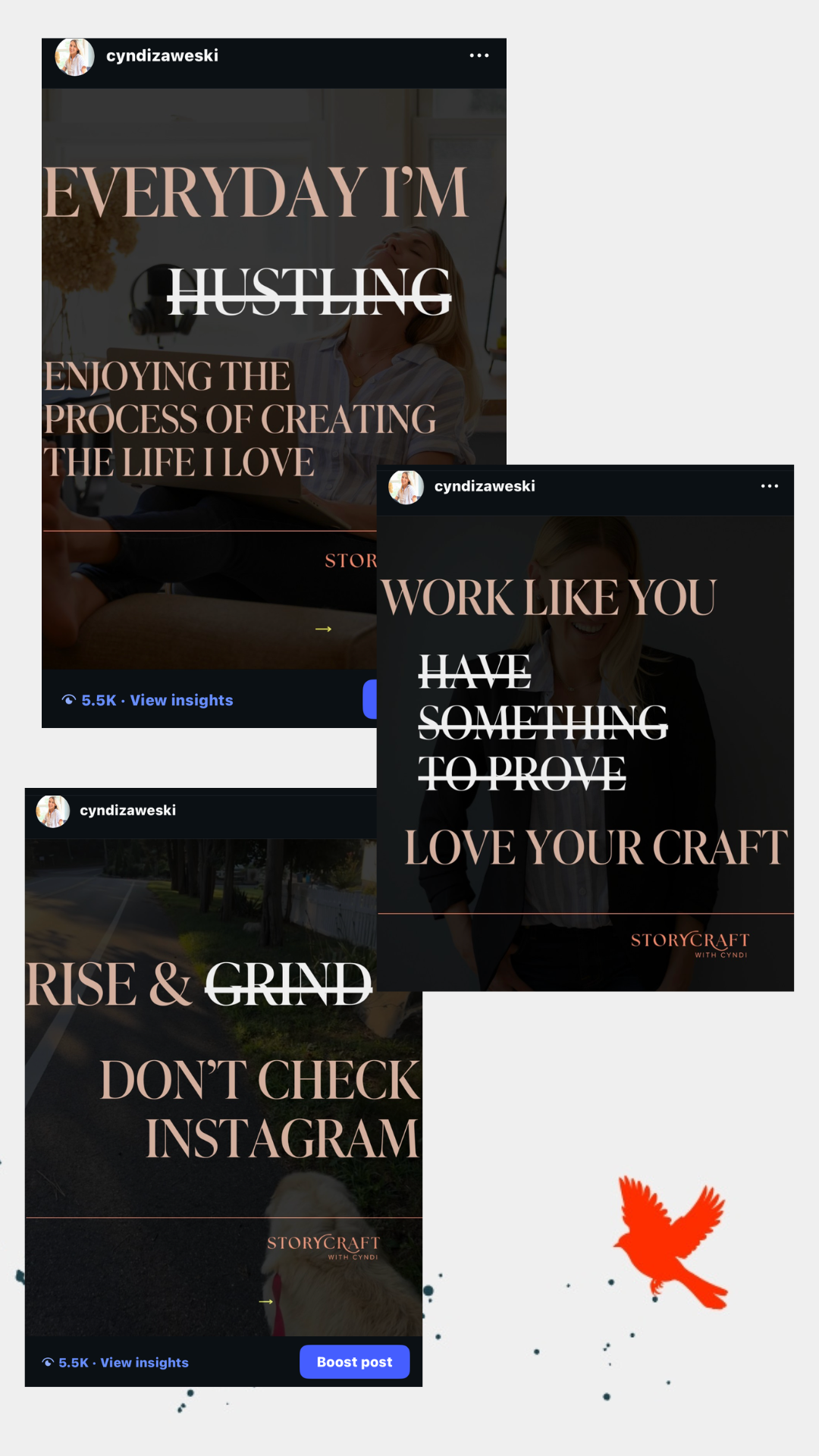
Carousel Example: Everyday I’m… Enjoying The Process
By now you’ve heard, people don't buy what you do; they buy why you do it. But most people fail at communicating their "why" on Instagram because it’s hard to bottle up in a few short slides and limited character count captions.
It’s estimated 82% of consumers want the values of the brands they buy from to align with their own. So it’s important for people to know what you’re all about if you want them to pay attention and buy your offers.
That’s why I love a meme Carousel with bold statements that embody values. Each slide turns an invisible believe into a descriptive actionable statement that hits on an emotional level in a single swipe.
Look at the examples from my feed. I don't write a paragraph about intentional marketing or quality over quantity Instead, I paint a picture of how those values show up in my real life, pairing each statement with a photo of me living out my values.
Values statement like these build a strategic brand narrative by creating a shared identity with your community. For example, when right person sees a slide that says “Wake Up, Don't Check Instagram,” they feel an immediate sense of recognition. They think, "Finally, someone who gets it." That is how you turn a random scroller into a loyal follower who trusts your perspective.
But honestly—they also do the opposite. These slides are designed to repel the people who aren't a match for StoryCraft.
If someone is looking for "easy hacks" or loves the hustle, these statements will push them away. Which is good. Follower count is not as important as engagement, it’s way more advantageous for organic growth to have 100 followers who interact with your posts regularly than 10,000 who ignore your posts regularly because, as we talked about earlier, the algorithm will push your content out to more people when your followers engage first.
Carousel Ideas #3: Testimonials And Storytelling For Sales
Please don’t slap a happy client quote on a graphic. Tell us, how did you get them from A to B?
What was the turning point?
How did you help them navigate the bumps?
Where are they now?
When you share the how behind the wow, you’re proving that your process is truly transformative. You’re giving your future clients the confidence to trust you to guide their journey.
Here’s a Testimonial Carousel Example from my account.
Carousel Ideas #4: Listicles & Roundups

Carousel Example: Listicles And Roundups
In 2026, people are drowning in information but starving for direction. They don't want to search for the best tools, books, or methods themselves—they want you to have already done the heavy lifting for them.
When you curate a list, you are providing a high-value service that establishes you as a trusted authority in your niche.
Here is why this format is a staple for my 65,000+ follower growth:
1. The "Librarian" Authority.
You don’t always have to be the primary source of the information to be the expert. Sometimes, the most valuable thing you can do is be the Curator. By putting together a "Top 5" list of TED Talks, books, or even industry-specific software, you are positioning your brand as the filter through which your audience sees the world. You’re telling them, "I’ve looked at everything, and these are the only ones worth your time.”
2. The Save-Worthy Roundup. Roundups are built for the "Save" button. As we discussed, a Save is a green flag for the algorithm. This is how you extend the shelf-life of your post from a few hours to a few weeks, as people keep coming back to your Carousel to reference the list.
3. Honestly, They’re Easy.
Let’s be honest: business owners burnout when they feel like they have to reinvent the wheel every day. Roundups and Listicles are the perfect solution for when you need to post in a pinch. You don't always have to create the content you're sharing. Think of ideas like:
“5 Podcasts That Changed How I Think About Productivity”
“3 Family-Friendly Hotels in Atlantic City My Kids Actually Liked”
“The 4 Books Every First-Time Founder Needs to Read”
Here’s a pro tip: Put your absolute favorite or most controversial pick on the very last slide. It encourages people to swipe all the way through, which boosts dwell time.
Round ups don’t have to be dry and the void of personality. In fact, they are more engaging when you weave in your story. In my Storytelling Course, you’ll find a template to turn a listicles into storytelling content as well as templates for storytelling testimonials, storytelling for sales, and more than 75 customizable storytelling hooks to create content unique to you.
Carousel Idea #5: Educational Posts
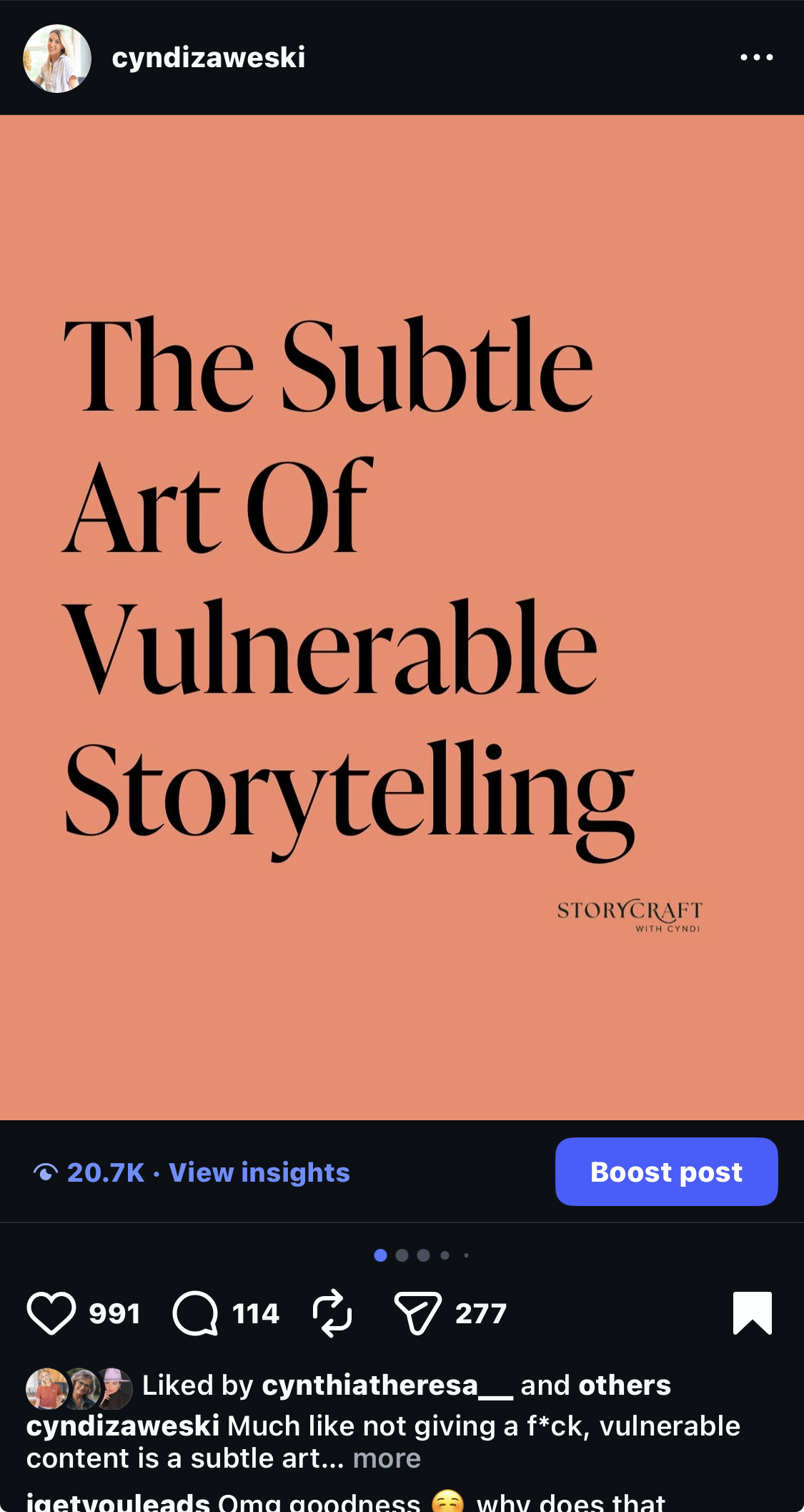
Carousel Example: Educational Posts
Most people make the mistake of dumping facts onto a slide.
In 2026, the audience has an information allergy—they can find facts anywhere. What they can’t find is clarity.
A viral educational Carousel takes a complex, "heady" topic and breaks it down into a step-by-step roadmap that weaves in your personal experience.
By the time they hit slide 10 (or 20), they should feel like they know something new or finally get something they’ve heard a million times.
In this viral educational Carousel, I tell a story that clarifies what vulnerability in storytelling really means for creators and business owners. How it’s not a opening up your diary, but rather building trust through honest reflection. You can see the full example here.
This story supports the brand messages I want to share, but it is also a practical guide with tips and tricks for writing vulnerable stories without oversharing woven into the slides.
Education isn't about showing how much you know; it’s about showing how much they can achieve by following your lead.
When you consistently provide these mini-wins, you build the kind of credibility that makes selling your offers feel like the natural next step.
What To Put On Each Slide Of a Carousel
I used Canva to design this storytelling carousel post for Instagram. See the full post here.
Here is a step-by-step guide to creating an engaging Instagram carousel post:
Carousel Slide One: Eye-Catching Headline
In a feed that’s constantly refreshed more content, you need a font size so bold you can see it from across the room. I aim for immediate legibility. If someone has to squint to understand your point, they’re more likely to move on than decode. High contrast and readable fonts aren't just a design choice; they are a respect for the viewer's time. But the main job of the first slide is a sharp headline needs to hit like a cognitive speed bump. Here’s a guide to writing Instagram headlines.
Carousel Slide Two: Make A Statement
Slide 2 is your most strategic asset. Remember how the algorithm gives you a mulligan? If a follower skips your post the first time, Instagram will often serve it to them again later—but it will lead with Slide 2. Instead of repeating yourself, use this slide to make a bold, tangible statement about the topic you're diving into. I use this space to take a "heady" belief and turn it into a descriptive nugget that hits on an emotional level. If the headline didn't stop them, the conviction on Slide 2 will. It’s your second chance to earn their swipe.
Carousel Slides 3–19: The Meat
Use the following slides to educate, tell your story, or show the benefit of your offer. One effective strategy is to share brand stories that show the real-life benefits of working with your brand, such as before-and-after photos or testimonials from satisfied customers. Another option is to provide educational content that your followers will find valuable, such as step-by-step guides or how-to videos.
Second To Last Slide:
The second-to-last slide is the pivot. I summarize the main takeaway, then I offer a reason to go deeper —a discount code, a freebie, or an invitation to read a blog post. You’ve given them the context, now show them exactly where to get more.
Final Carousel Slide: Call To Action
The last slide can include a Call To Action. Anytime someone interacts with your content, Instagram takes it as a sign to push more of your content to them. A strong call to action (CTA) encourages people to interact with your posts in a meaningful way. Generic CTAs are like white noise on Instagram. Blanket statements such as “like,” “comment,” or “tag your __!” are most likely going to get your post ignored. What you can do instead is ask a question or a request specifically related to your post. Be sure to make the CTA clear and easy to understand.
I also like to include a headshot on my final slide to humanize my brand. You can see some examples on my Instagram @cyndizaweski
5 Instagram Carousel Design Trends for 2026
Instagram is a visual platform, so it’s not just what you say, it’s how what you say looks.
Carousel design trends change all the time, here are the ones that are performing the best in 2026.
What’s Worth Your Content Creation Time?

Reels vs. Carousels
Reels were introduced in 2020 as Instagram's answer to TikTok. IG’s short-form video shake up was met with mixed reviews. Perhaps you caught Kylie Jenner‘s not-so-subtly request for Instagram to make photos great again?
Her concerns publicly called out what many users have been saying for years: We don’t Instagram to be a poor man’s TikTok. Instagram has since back tracked on its hyper-Reels focus.
Carousels — which performed well enough during the height of the Reels frenzy — are reclaiming its favorite child status on Insta.
It’s been a good rule of thumb that Carousel posts get better engagement while Reels are top for reaching more people. But that might change.
Instagram recently started to test showing Carousel posts within the Reels feed, which will let users scroll through carousels the same way we scroll through Reels now.
That change bodes well for the future of Carousel reach.
Regardless of industry metrics, it’s important to test for yourself.
Even when Reels were all the rage, that format never performed as well as carousel posts on my account. My audience would rather swipe left on graphics than see me lip sync, thankfully. The exact opposite is true for a client whose audience can’t get enough of short-form video.
Here are a few Instagram content experiments to test drive.
Make Your Instagram Carousel Posts More Engaging
Instagram Carousel posts are like a Swiss Army knife for your Instagram content strategy: versatile, message-driven, and engaging.
Now that Instagram lets you reorder slides and add trending audio the potential for higher engagement is greater than ever.
Especially when you add in storytelling. Storytelling makes content 22x more engaging.
Weaving in storytelling to my Carousels has allowed me to grow an audience of 65,000+ Instagram followers who don’t just “like” my posts they take action on them.
Learn how to create your own storytelling Carousels in my Storytelling Course. Even if you never told a story before, the frameworks inside will walk you through exactly how to structure storytelling posts so they can get more engagement, make more sales, and clearly articulate your message.
Thanks For Reading!

Cyndi Zaweski, Owner of StoryCraft
Cyndi Zaweski is an independent journalist and the owner of StoryCraft. She writes primarily about how narrative influences behavior, exploring how storytelling, belief, and perspective drive action through the lenses of marketing, philosophy, psychology, technology, spirituality, and beyond. Her brand story clients have been featured on CBC, iHeartRadio, The Minimalist Podcast, and more.
Instagram Carousel FAQs
-
1.Open the Instagram app and tap the "+" icon at the bottom center of the screen.
2. Select the photos or videos you want to include in your carousel by tapping on them.
3. Once you've selected all the media you want to use, tap "Next" at the top right corner.
Now you can rearrange the order of your photos or videos by dragging and dropping them.
You can also add filters, stickers, or captions to each individual photo or video by tapping on them.
If you want to add more media, just tap on "Add More" at the bottom left corner and repeat the process.
4. When you're happy with your carousel post, tap "Share" at the top right corner.
-
Having poster’s remorse? You don’t have to delete the entire post to remove the slides in questions.
Here's how you can remove a slide from an Instagram carousel post:
1.Open your Instagram profile and find the carousel post you want to edit.
2. Tap the three dots at the top right corner of the post.
3. Select "Edit" from the options.
4. Tap on the slide you want to remove.
5. Tap the trash can icon at the bottom right corner of the slide.
6. Confirm that you want to remove the slide by tapping "Delete".
7. Tap "Done" at the top right corner of the screen to save your changes.
And voila! You've successfully removed the unwanted slide from your carousel post.
-
While you can post up to 20, the "sweet spot" for engagement in 2026 is 7 to 12 slides. This is long enough to signal high "dwell time" to the algorithm (keeping people on your post), but short enough to ensure users actually reach your final Call to Action (CTA) before dropping off.
-
So, you've posted a Carousel, and now you're second-guessing the order of your photos or videos. Not to worry.
To change the order of your slides after you have already hit "Share":
Open the Post: Go to the specific carousel on your profile grid.
Enter Edit Mode: Tap the three dots (...) in the top-right corner and select Edit.
The Long-Press Gesture: Look at the carousel tray at the top. Long-press (hold your finger down) on the slide you want to move.
Drag and Drop: While still holding down, slide the image or video to its new position in the sequence.
Save: Tap Done (iOS) or the Checkmark (Android) to update the live post.
IMPORTANT TO KNOW:
While you can reorder most slides, some business accounts are reporting that changing the very first slide (the Cover) after 24 hours can occasionally "reset" the thumbnail in the Explore feed. It's best to make your big moves within the first 6 hours of posting.
If you used "Timed Music" (where the beat drops on a specific slide), reordering the slides will likely de-sync the audio. You may need to adjust the audio start-point in the same Edit menu.
-
You can now include up to 20 slides in a single carousel. These slides can be a mix of static images or 60-second video clips.
-
The "Looping" technique involves making your Final Slide visually or contextually lead back to your First Slide. For example, end with a question that is answered by the headline on Slide 1. This encourages users to swipe back through a second time, which significantly boosts your "Dwell Time" metrics.
-
In 2026, the "best time" is 2 hours before your audience is most active. Why? Because Carousels need time to gather "initial swipe data" from your most loyal followers. Once the algorithm sees that your "Super-Fans" are swiping to the end, it prepares to blast the post out to the rest of your followers during their peak active window.